

As a user I want to sign out of my account so that my identity is no longer active on this device.
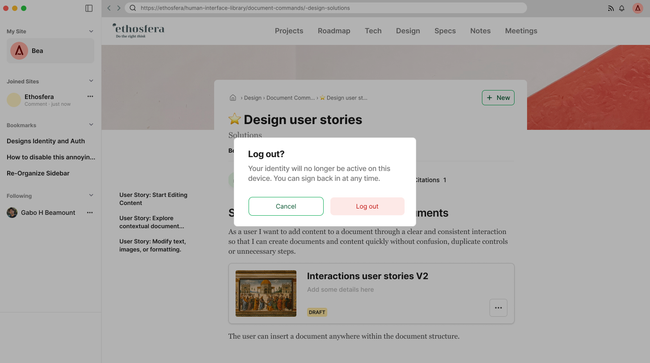
This is simply a change of copy. Remember Vault → Identity:
Acceptance Criteria
Sign out is accessible from the avatar dropdown menu
Tapping sign out shows a confirmation modal before any action is taken
Modal title: "Sign out?"
Modal text: "Your identity will no longer be active on this device. You can sign back in at any time."
Buttons: Cancel and Sign out
Confirming sign out removes the identity from the device and returns the user to the signed-out state
The avatar icon reverts to the outlined/dashed state
If the user has multiple accounts, signing out of one account switches to the next available account instead of returning to a fully signed-out state
Basic Flow
User clicks avatar → Sign out
Confirmation modal appears
User clicks Sign out
Identity removed from device
User returned to signed-out state — avatar reverts to outlined icon
Edge Cases
User taps Cancel → modal closes, nothing changes
User has multiple accounts → signs out of active account, app switches to next account automatically
User signs out and immediately tries to sign back in → standard sign-in flow, i
⚠️ User has a local-only identity and signs out → identity is no longer accessible on this device and cannot be recovered without a backup. Worth adding an extra warning in this case
Do you like what you are reading? Subscribe to receive updates.
Unsubscribe anytime